How to Fit a Smart Doorbell in a UK Home: Wiring, Wi-Fi and the Renter's Workaround
Smart doorbells sound simple to install — until you discover the transformer is 8V, the Wi-Fi doesn't reach the front door, and you don't own the wall. A practical UK install guide.
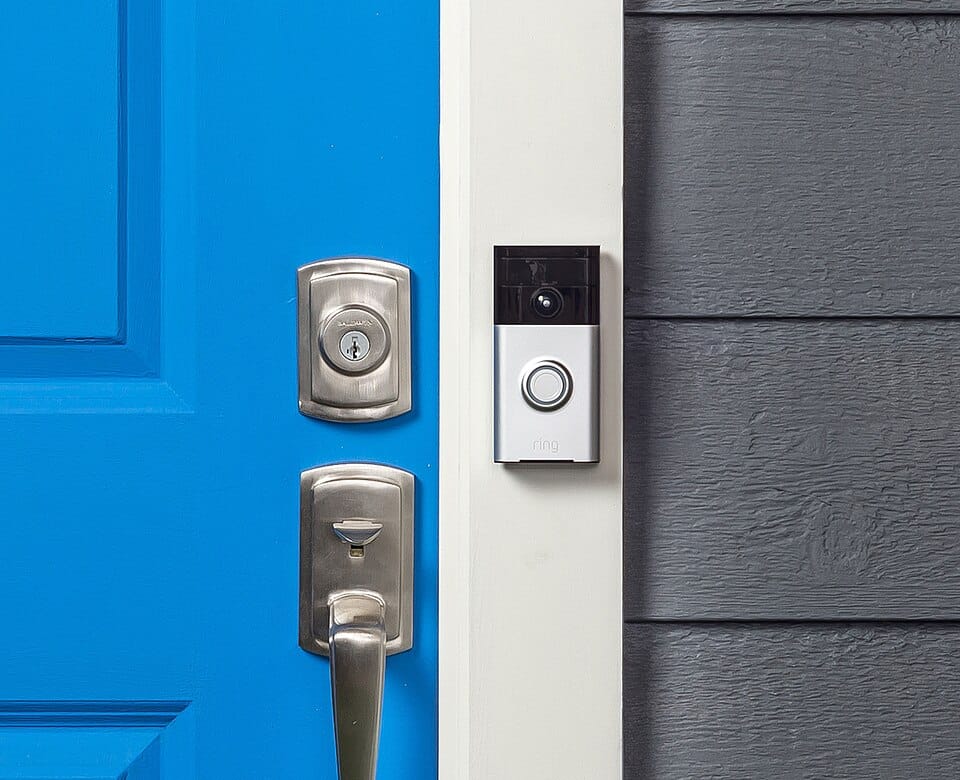
Your old chime has been dying for two winters. The button sticks in cold weather, the bell sounds like a tired sheep, and twice last month a parcel was left on the kerb because the courier never heard it. Replacing it with a smart doorbell sounds simple. The reality is that a UK installation has three separate decisions baked in — wiring, Wi-Fi reach, and what happens when you don't actually own the wall — and most homeowners get one of them wrong before they buy the kit.
Wired or battery: the choice that decides everything else
Almost every modern smart doorbell sells in two versions. Wired models tap into the existing low-voltage transformer that powered your old chime, give you continuous video, and never need recharging. Battery models bolt onto the door frame in twenty minutes and run on a rechargeable cell that needs pulling out every two to four months. The right choice depends less on what you want and more on what your house already has.
If you currently hear a "ding-dong" two-tone chime when someone presses the button, your house has an 8V or 16V transformer somewhere — usually in the consumer unit cupboard or above the front door inside the porch. That makes wired installation straightforward. If your existing bell is a battery cordless thing that you charge separately, you have no transformer, and a battery doorbell is the realistic option unless you're willing to pay an electrician £150–£250 to fish in mains cable and install a transformer from scratch.
The hidden cost: battery doorbells are not actually as low-effort as the marketing implies. A typical UK household with a busy front door — postal deliveries, neighbours dropping in, foxes at 3am — will trigger 30–80 motion events per day. That drains a Ring 2 or Eufy E340 battery in 6–10 weeks in winter, faster if it's mounted in direct sun. You will get sick of climbing the stepladder.
Voltage check before you buy anything
UK chimes run on either 8V or 16V transformers, and not every smart doorbell is happy with both. Ring expects 8–24V AC. Google Nest Doorbell (wired) needs 16–24V AC and won't work properly on a tired old 8V transformer that already struggled to drive a mechanical chime. Ezviz and Eufy wired models tend to be more forgiving but check the box.
To find out what you've got, switch off the lighting circuit at the consumer unit — most UK doorbell transformers are wired off the lighting ring — and unscrew the front of your existing chime. The transformer either sits next to it or is mounted near the consumer unit. Look for a label: "8VA 8V AC" or similar. If you see 8V and you want a Nest, you'll need to swap the transformer (a Honeywell DH910S 16VAC transformer is around £25 at Screwfix and takes a competent DIYer 30 minutes once the power is off).
For a true plug-and-play replacement of an existing two-bell chime, a wired Ring 2nd generation or a Ring Pro 2 will run off most existing UK transformers without modification. That's the boring answer that works.
Wi-Fi reach: the silent reason most installs fail
The single most common complaint in UK installer reviews is not the wiring — it's the doorbell dropping off the network mid-event. Front doors are typically the worst Wi-Fi spot in a British house: you've got the router two rooms back, a brick external wall, and often a metal letterbox or steel-reinforced door directly behind the camera.
Before you buy, walk to the front door with your phone, open a Wi-Fi analyser app, and read the signal in dBm. Anything weaker than -65 dBm is unreliable for streaming video. Below -75 dBm and the doorbell will spend more time reconnecting than recording. The fix isn't the doorbell — it's the network. A cheap TP-Link or Mercusys mesh node placed in the hallway near the front door will solve 90% of the problem for around £40. Without that, you'll spend three months blaming the device.
One detail manufacturers don't advertise loudly: most smart doorbells only support 2.4GHz Wi-Fi. They cannot connect to 5GHz networks, even though every modern UK router advertises both. If your router uses a single SSID for both bands and decides 5GHz is the better choice for the doorbell mid-setup, the device will sit in the app forever, "trying to connect." On many ISP-supplied routers (BT Smart Hub, Sky Hub) you can split the bands by going into the app and giving the 2.4GHz network a different name temporarily.
The wired install — what actually happens at the door
Step by step on a typical UK terraced or semi-detached house with an existing wired chime:
- Switch off the lighting circuit at the consumer unit. Verify dead with a tester at the existing doorbell button — never trust the labels alone.
- Unscrew the existing button. Note which wire is which (a quick photo on your phone is enough — there's no polarity for AC).
- Mount the bracket. UK door frames are usually softwood — drill 5mm pilot holes and use the screws supplied. If the frame is uPVC, use the included plug-in clips and self-adhesive backer if you cannot screw into the surface.
- Wire the new doorbell. Both wires under the two terminals — order doesn't matter for AC. Tighten with a precision screwdriver, not a stubby cabinet one.
- If your chime is mechanical (the metal ding-dong type), most smart doorbells need a small bypass module wired across the existing chime to prevent the unit from buzzing constantly. The module comes in the box with Ring and Nest. Skip it and your chime will hum like an angry wasp.
- Restore power. Open the app. The setup will fail at least once. Keep going.
Total time on a straightforward house: 45 minutes to an hour. Add another 30 if you discover your existing transformer is undersized.
The renter's workaround: no drilling, no wiring, no landlord conversation
If you rent, two of the three problems above don't apply because you can't drill, can't run cables, and can't replace a transformer that isn't yours. You can still have a smart doorbell.
The realistic kit: a battery model (Ring Battery Doorbell Plus, Eufy Security E340, or Aqara G4) mounted on a no-drill bracket. Ring and Eufy both sell adhesive 3M VHB plates that hold a doorbell on a uPVC or painted wooden frame for the duration of a tenancy. If the frame is rough render or stone, the adhesive option is unreliable — switch to a wedge mount that hooks over the top of the door frame and braces against it. Wasserstein and several Etsy sellers do these for £15–£25.
The chime side: pair the doorbell to a plug-in indoor chime (Ring Chime Pro, around £45) so you don't need to rely on your phone for alerts. The chime plugs into any spare socket and works for the entire flat. When you move out, peel off the bracket, clean the residue with isopropyl alcohol, take everything with you, and the landlord never knows it was there.
One snag worth flagging: communal hallways in UK flats are often outside the leaseholder's demise. Drilling into a shared front door is technically a breach of most leasehold agreements even when you "own" the flat. The wedge or adhesive approach side-steps this entirely.
Cloud subscriptions and what you actually need
Every major brand pushes a cloud subscription, and most UK buyers don't read the small print until the doorbell is already on the wall. Without a Ring Protect plan (£3.49/month per device or £8/month for unlimited cameras), Ring saves no video — you only get live streams and motion alerts. Nest is similar without a Nest Aware subscription.
The honest take: if you only want a doorbell to see who's at the door and talk to delivery drivers, you don't need the subscription. Live view and two-way audio work without it. The subscription buys event recording, longer histories, and on Nest, smart alerts that distinguish people from passing cars. For a security-conscious household it's worth the £40-odd a year. For most homeowners it's optional.
Eufy and Aqara are the names worth knowing if you don't want a subscription at all — both store video locally on a base station or microSD card. Eufy's HomeBase 3 (£140 once, no monthly fee) is the cheapest long-run option in the UK if you plan to add cameras later.
Things that go wrong that nobody warns you about
Sun glare. South-facing front doors in summer wash out the camera image to white between roughly 11am and 2pm. The sensor recovers when a person walks into shadow but if your courier hands the parcel to a neighbour during that window you'll never see it. A 25mm angled wedge tilts the camera 15° downward and removes most of the glare.
Cold weather. UK winters routinely drop battery doorbells from a claimed 4 months to 6 weeks of life. Lithium chemistry hates anything below 5°C. Wired doorbells are unaffected.
Spider webs. Doorbell motion sensors interpret a spider walking across the lens at night as movement, and you'll get push notifications at 3am for weeks until you wipe the housing with a damp cloth.
The chime keeps ringing for ghosts. If your installation produces persistent fake triggers — chime sounds with nothing visible — the issue is almost always EM interference from the new doorbell back through the transformer. Adding the manufacturer's bypass kit (the small white capacitor pack across the chime terminals) fixes it 95% of the time.
Got the kit, watched a YouTube video, and the existing transformer is buried inside a sealed plaster recess from 1978? At that point a 30-minute job becomes a £120 callout. Get a quote before you start drilling.